
MCHOSE A7 V2 Ultra Review

🖱️ MCHOSE A7 V2 Ultra
True 8000 Hz polling
Very low click latency
Very good sensor performance
High button quality
Good scroll wheel
Good choice of components
Lightweight
Nicely gliding mouse feet
Full software customizability, either through application or web driver
Bluetooth connectivity
Wireless extender included
Set of grip tape included
Polling instability at 1000 Hz unless “Extreme” mode is used
Slam-clicking at lower debounce time values
🧠 Overview
The Logitech G Pro X Superlight and its variants are among the best-selling gaming mice ever made, which is why it comes as no surprise that other manufacturers try to divert some of those sales for themselves. While a release such as the Rapoo VT2 Max could still get away with being called “inspired by,” the A7 V2 Ultra is even less ambiguous and may rightfully be called a clone. Not just geometrically, but aesthetically, too, the A7 V2 Ultra emulates the Superlight down to its most intricate details.
To fully replicate the original Superlight, MCHOSE even went as far as using a similar internal structure and similar main button switches, to get as close as possible to that Superlight feel. In terms of weight, these efforts have been successful, as the weight is indeed a match at 58 g. However, whereas the Superlight 2 comes with a puny 290 mAh battery, the A7 V2 Ultra packs a 500 mAh battery, thus being more efficient in its design regardless.
In terms of build quality, the A7 V2 Ultra easily matches the Superlight 2: when shaking the mouse, a rattle comes from the dongle storage compartment door, which is easily addressed by removing said door. When applying lateral pressure, minor creaking but no flexing of the shell is present, and actuating the side buttons by pressing below them is not possible regardless of force.
🔘 Buttons & Click Feel
As mentioned, MCHOSE tried as best as they could to emulate the click feel of the Superlight 1 in particular. To this end, the A7 V2 Ultra utilizes mechanical switches from Omron for their main buttons as well, albeit of a different type, namely Omron D2FC-F-7N (100 M). Compared to many other currently popular mechanical and especially optical switches, these deliver lighter yet still snappy actuation, and the button design too leaves little to be desired, as lateral button movement remains low even when provoked.
Even dating back to the first Superlight, the side buttons have always been an item of criticism, whereas on the A7 V2 Ultra, the opposite is true. Pre- and post-travel are low, the actuation point is even across their entirety, and actuation is sharp instead of mushy. For these, a set of surface-mounted Huano switches are used.
The scroll wheel encoder comes from TTC and is of the “Gold” (blue, yellow core) variety in the 9 mm size. Tactility is quite good on this one, with the individual steps being rather well-separated, but scrolling is noisy.
The feet are the usual white-dyed PTFE fare and glide well, and while their shape matches the Superlight 2 skates, the ones on the A7 V2 Ultra are slightly smaller, so third-party feet for the Superlight 2 are not compatible.
🎯 Sensor & Performance
The Ultra variant of the A7 V2 comes with PixArt’s PAW3950 in a “Ti” variant that features an extended CPI range, coupled with a Realtek RTL8762GKH MCU providing a high-speed PHY for 8000 Hz in both wired and wireless operation.
CPI deviation is very low at +1.3%, and general tracking shows no issue regardless of whether MotionSync is enabled or disabled. Similarly to recent releases from Rapoo, the A7 V2 Ultra allows adjusting sensor run mode, which affects many sensor parameters such as framerate, maximum tracking speed, power draw, and so on.
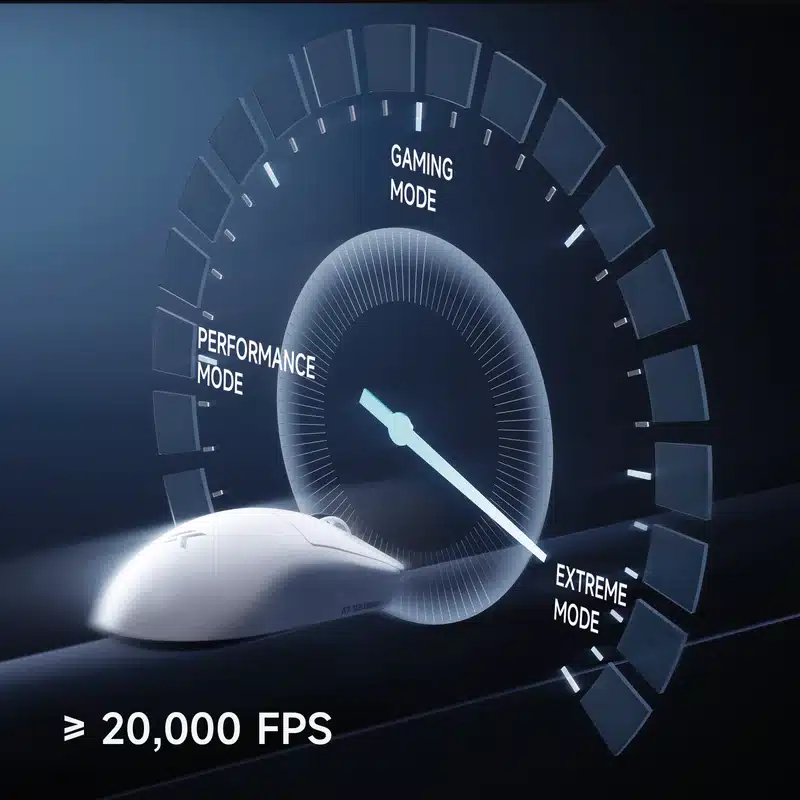
At polling rates of 2000 Hz and higher, the A7 V2 Ultra will engage corded mode regardless of setting, though by setting the “Extreme” mode, the sensor framerate may additionally be set to the applicable maximum.
At polling rates of 1000 Hz and under, one can choose between “Performance” and “Gaming” modes, which correspond to the 3950’s LP (Low Power) and HP (High Performance) sensor run modes, and once again “Extreme” mode, which sets sensor run mode to corded and sensor framerate to the possible maximum.
In wired operation, sensor run mode always defaults to corded, and all available polling rates are fully stable. In wireless operation, polling rates of 2000 Hz and higher, as mentioned, also default to corded mode, and aside from a few off-period polls at 2000 and 4000 Hz, polling is stable throughout and the target interval averaged for each.
At polling rates of 1000 Hz and under, there will be frequent off-period polls, but only if the “Performance” or “Gaming” run modes are set. With the sensor run mode set to “Extreme” and therefore corded, polling will be fully stable.
⚡ Motion Delay & Click Latency
These sensor run mode distinctions also affect motion delay. In wired mode, corded mode is always engaged, and the A7 V2 Ultra achieves an advantage of 1.0 ms over the Logitech G403 (control subject) throughout, with MotionSync adding varying amounts of motion delay depending on polling rate.
In wireless mode, the motion delay advantage will be 0.7 ms without MotionSync as long as corded mode is set, which can be achieved at polling rates of 1000 Hz and under by setting the sensor run mode to “Extreme” as mentioned.
If a sensor run mode other than “Extreme” is set at polling rates of 1000 Hz and under, the A7 V2 Ultra will no longer be ahead of the G403 but rather trail it by 0.4 ms. In short, both polling rate and motion delay at 1000 Hz in wireless mode benefit greatly from having corded mode set, which is done by enabling “Extreme” mode.
Click latency, on the other hand, is not determined by polling rate, but by the debounce time setting. While this setting doesn’t scale linearly, higher values generally increase click latency.
On the A7 V2 Ultra, there is no slam-click prevention algorithm, which is why upon resetting the mouse, buttons may actuate without any user input when using a debounce time value of 3 ms or lower. Yet, at the same time, one would want to use the lowest value of 0 ms, as only by doing so can the lowest possible click latency of 0.1 ms in wired operation and 0.6 ms in wireless operation be realized.
In addition, since the A7 V2 Ultra is using mechanical main button switches, inadvertent double-clicking may eventually show up, in turn requiring one to increase debounce time as well. In other words, it would be highly useful if MCHOSE were to implement a slam-click prevention algorithm and, ideally, switch to eager-type debouncing altogether, which is what Logitech happens to be using on their Superlight.
🔋 Battery & Charging
MCHOSE does not cite any battery life numbers. However, the software does include a battery life indicator using increments of 10%, which is at least functional enough to give a rough estimate of expected battery life.
After two and a half hours of continuous usage at 8000 Hz with Extreme Mode enabled and another two and a half hours at 1000 Hz with Extreme Mode enabled, the indicator went down by 10%.
As such, we can surmise that expected battery life when using “Extreme” mode should be around the 50-hour mark, and possibly lower when combining “Extreme” mode with a polling rate higher than 1000 Hz.
The charging speed is strictly average at around 0.3 A, and the charging cable ranks below average in terms of flexibility, although wired usage is still possible without feeling massively restricted.
💻 Software
As for the software, the user is given two options: a regular application requiring installation or a web driver connecting through WebHID. Both functionally and aesthetically, these are equivalent, though the application of course comes with a RAM tax, and a rather hefty one at around 200-300 MB at that.
The only bug I’ve encountered is that occasionally, it appears that reading from on-board memory fails in wireless operation, which has most settings show nothing, ultimately requiring an application restart.
💰 Price & Final Thoughts
At $70.00, the A7 V2 Ultra costs a good $100 less than the Logitech G Pro X Superlight 2. Accordingly, the A7 V2 Ultra naturally competes with the Rapoo VT2 Max, which costs basically the same and also does well when it comes to emulating the original.
When comparing the two, there is no clear winner. The VT2 Max has far higher battery life, though the A7 V2 Ultra is no slouch in this department, either, and both are able to at least match the Superlight 2.
In terms of weight and build quality, the VT2 Max and A7 V2 Ultra end up at a similar level, and roughly match the Superlight 2. The A7 V2 Ultra wins in terms of polling stability and performance consistency, though the VT2 Max isn’t far behind in this department.
From a durability perspective, the optical switches of the VT2 Max are a clear plus, and the VT2 Max also doesn’t have any issues with slam-clicking. Both the VT2 Max and A7 V2 Ultra come with both regular software and web drivers.
Ultimately, the choice is a matter of taste, though one thing is certain at least: both the VT2 Max and A7 V2 Ultra have the Superlight soundly beaten in the side buttons department.
🏆 Conclusion
In summary, the A7 V2 Ultra earns our Recommended and Budget awards. source (techpowerup)